Design the whole carousel. Export every slide.
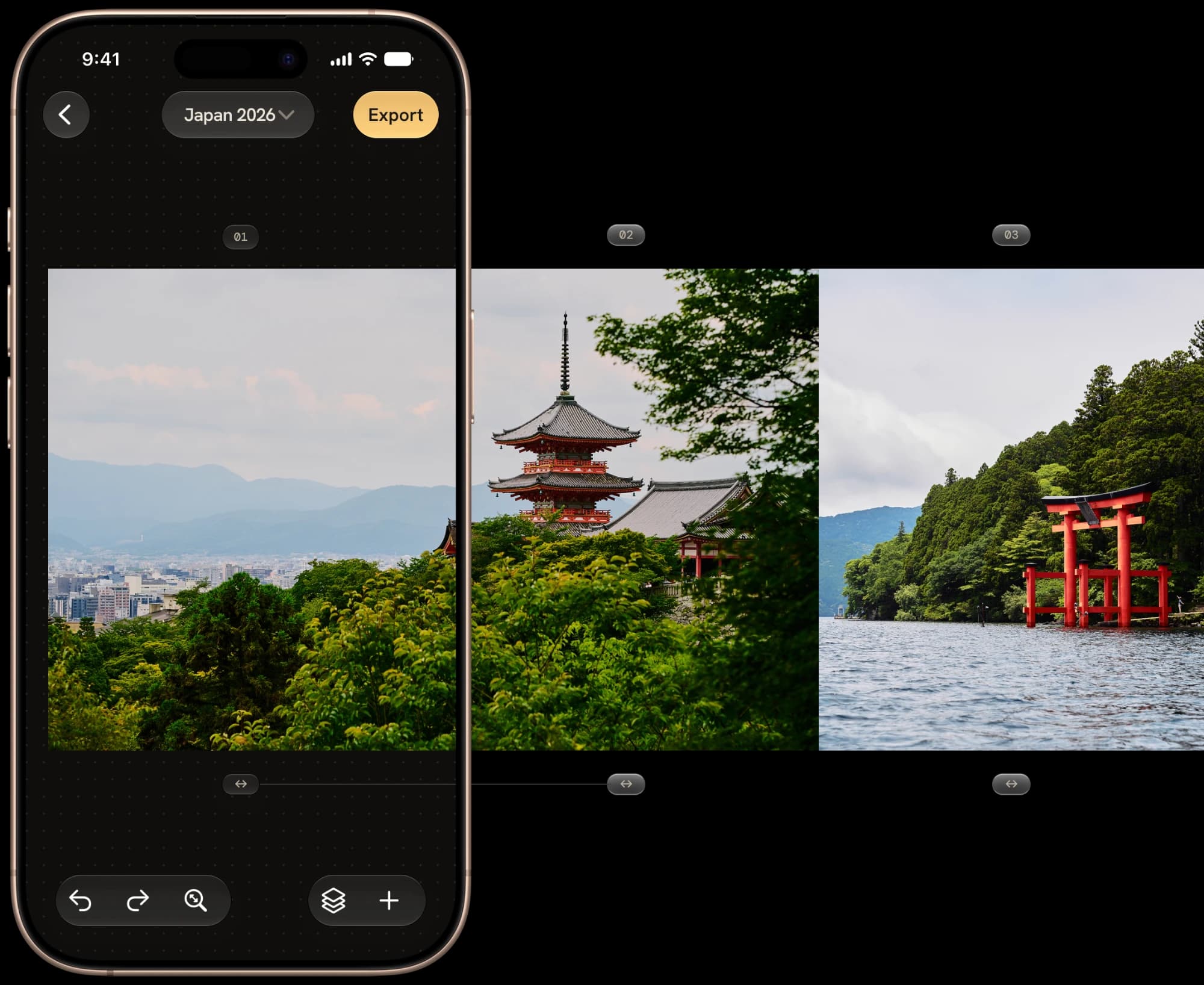
One canvas, wider than the screen — sliced into frames that line up edge to edge.
FrameRoll lays out your whole Instagram or Threads carousel on one continuous canvas, previews exactly how each slide crops, then exports every slide at once — numbered in posting order. Seamless and swipeable, with no stitching apps and no visible seams.
One email the day FrameRoll is available. No spam. iPhone, this first release.
Made for people who post carousels
Three steps, start to post
No panorama splitter, no slicing in another editor, no renaming files by hand.
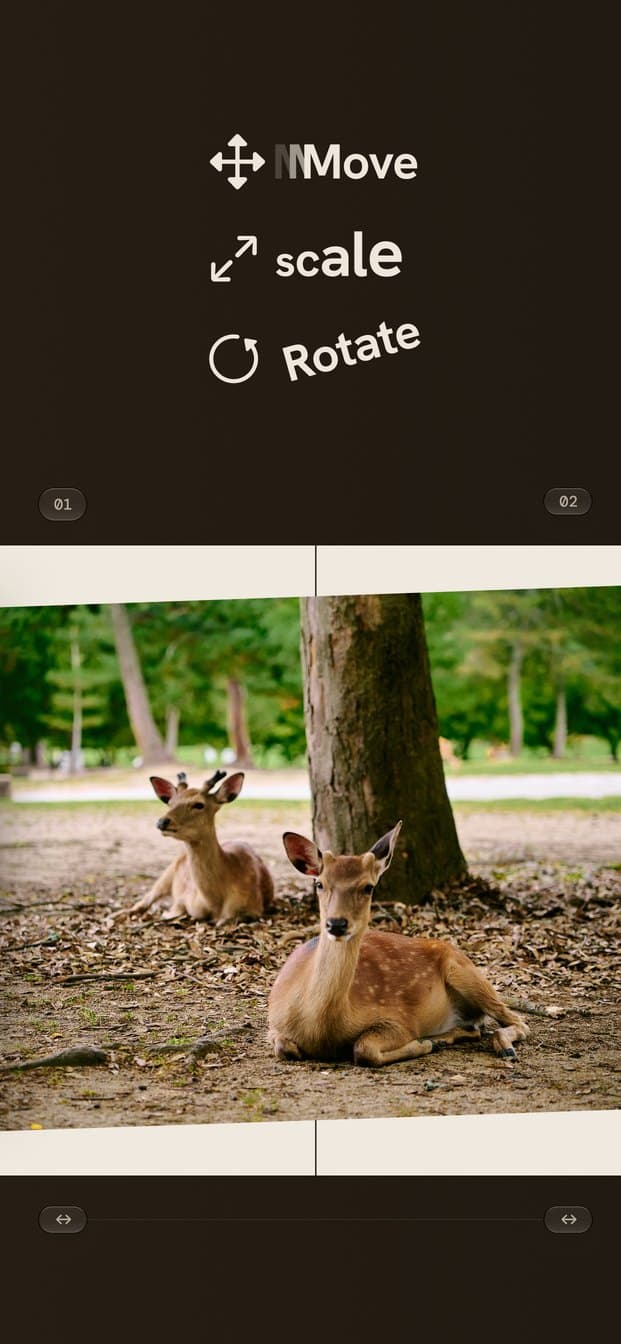
Compose
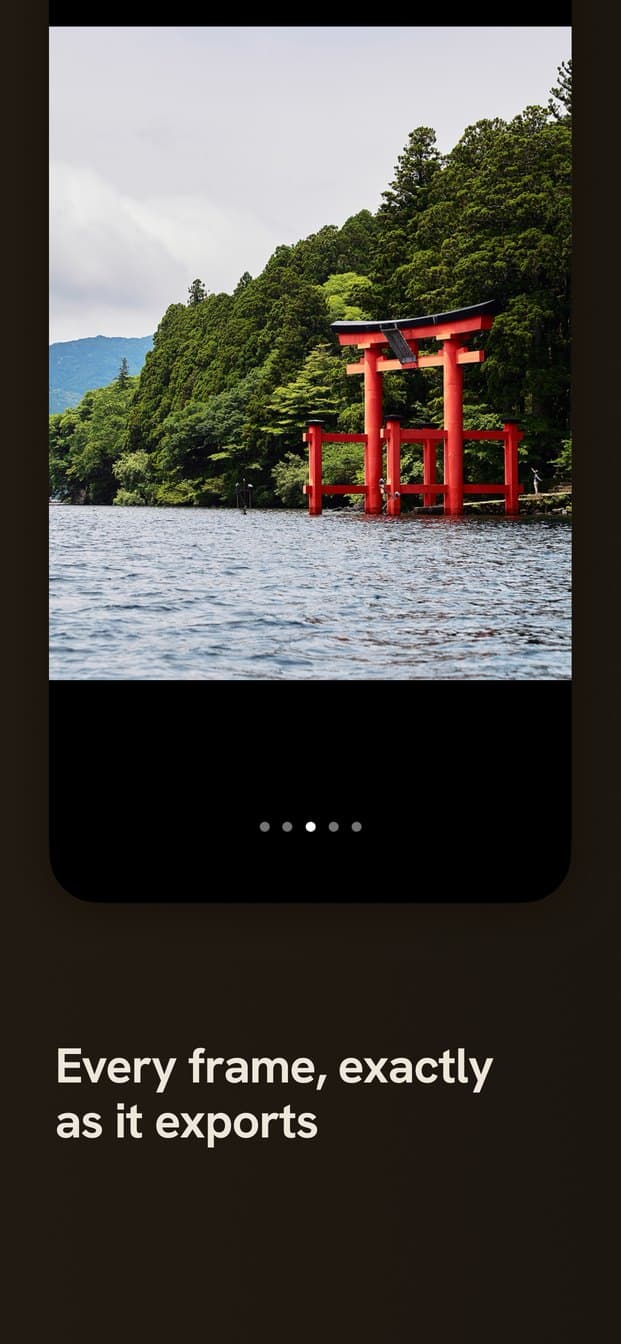
Preview
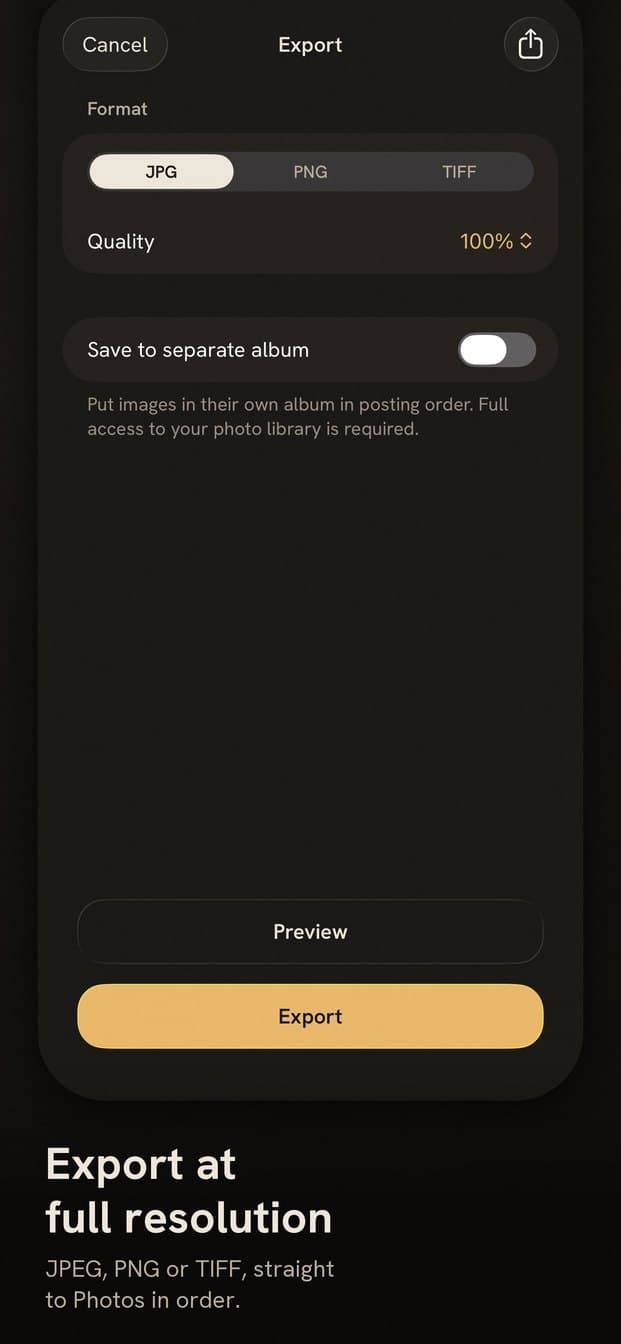
Export
Built for one job, done well
One continuous canvas
Lay out the whole carousel on a single wide canvas. FrameRoll slices it into perfectly aligned, seamless slides that swipe edge to edge with no visible seam.
Split a frame into cells
Divide any frame into up to 6 cells — columns, rows, or a grid — for a compound layout inside a single slide.
Batch import, auto-placed
Drop in a stack of photos and FrameRoll puts one in each frame, growing the carousel as it fills.
Preview every slide
Step through the carousel exactly as it will crop and export — no guessing where the seams land.
Numbered export
Export every slide at once as PNG, JPEG, or TIFF — numbered in posting order, straight to Photos.
Move, resize, arrange
Free transform, multi-select, z-order, and gesture-batched undo/redo for every image on the canvas.
Snapping guides
Move a photo and it snaps to frame edges, centers, and other photos — precise alignment without eyeballing it.
Project gallery
Every carousel is saved. Reopen an old post and re-export it without rebuilding the layout.
Free to start. Simple to grow.
Import up to 60 photos for free — every other feature is unlimited from day one.
Free
60 photos, no time limit
Everything about FrameRoll, free to try.
- Unlimited carousels, up to 20 frames each
- Every ratio, including custom sizes
- Unlimited exports, always
- 60 photos total to import — no expiry
FrameRoll Pro
Monthly, yearly, or lifetime
One purchase away: import as many photos as you want.
- Removes the 60-photo limit
- Choose monthly, yearly, or a one-time lifetime unlock
- Priced in your local currency, right in the app
- Manage or cancel anytime in iOS Settings
Every ratio your feed needs
Pick a preset per project, or set a custom size once and reuse it.
- 3:4
- 4:5
- 1:1
- 3:2
- 16:9
- 9:16
- ?Custom
Your photos never leave your phone
No network, ever
FrameRoll has no servers to talk to. Nothing you import or export is uploaded.
No account
No sign-in, no profile, no email required to use the app.
Originals untouched
Imported photos are copied into the project. Your library stays exactly as it was.
Minimal permissions
Importing needs no permission. Saving slides uses add-only access — full library access only if you turn on saving to a separate album.
Follow the build
FrameRoll is being made in the open — progress, design decisions, and release news as they happen.
Questions, answered
Be first to try FrameRoll
Join the waitlist and we'll email you the moment it's available.